Some useful hints getting started using WeGolf - (For more complete HELP visit our Help section on the WeGolf main web page)
iPhone users please open the iPhone User Guide
All other models:
Quick Start using WeGolf as a Golf GPS
The most important part of WeGolf's many features is the Distance Measurements. This is very easy to use, below is a interactive demo showing the four steps to get started using your cellphone as a golf GPS.
Mapping new Courses
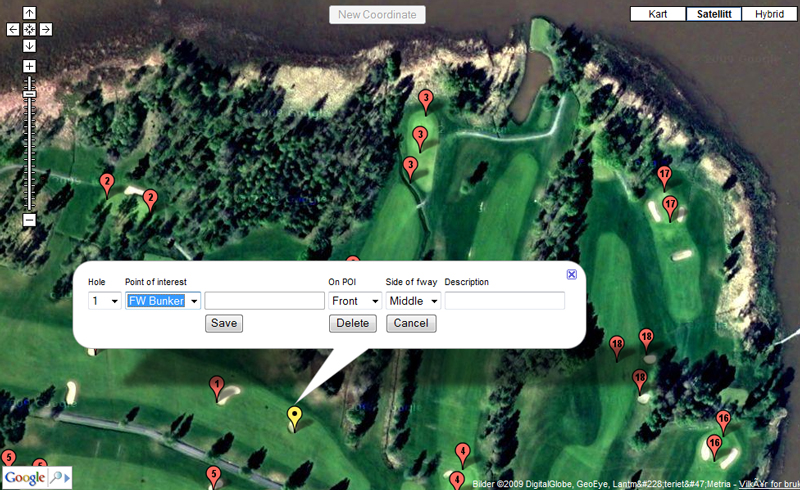
With WeGolf you can add new courses both on the web and unsing your cellphone. We recommend to do it on the web and then download the course to your phone. Its faster and easier. You can add scorecard as well as GPS coordinates. Its possible to start by entering a complete new course or to modify the existing courses in the WeGolf system.
Using the WeGolf mapping feature will give you the opportunity to get exactly the GPS coordinates needed for your game. You can map any point you like as well as unlimited number of points on the course. Bunker - Water - Green - Trees - Doglegs etc.
Click here to open mapping instructions in separate window