Distance Measurements with GPS
Distance is one of the keys in golf. How many times have you asked: "What distance do I need to carry the fairway bunker?" or "How far to the pin?"
With a GPS WeGolf will give you this and more:
Distance to all point of interest on a golf course
Measure how far you hit with the different clubs
Track all your strokes on satellite photos
How does this work?
If you have a Bluetooth GPS and a Cell-Phone with BlueTooth WeGolf will give you the distance to any point on the course from your current position. To be able to give you this information the co-ordinates has to be entered into the system. These could be bunkers, water, other hazards or front / back of green. You can enter as many points as you like.
You can download scorecards with predefined GPS co-ordinates, register your own "point of interest" or add on to already existing. You enter the co-ordinates simply by positioning yourself on the middle of the green and press the "Enter Co-ordinates" button for the hole.
Do I have to buy anything extra and does it involve any cost in using this feature?
The WeGolf Software with GPS support is included in the price, its there whether you use it or not. As mentioned you need to have a GPS receiver and a Cell-Phone both supporting BlueTooth.
The use of the distance feature is FREE.
What about accuracy?
The accuracy will depend on how many satellites you connect to. Anyhow, our goal is that the accuracy should always be within 10 meters, and in most cases 1-2 meter, sufficient for most golfers.
What Mobiles can be used?
Your mobile phone has to support the standard JSR-82. All new models support this.
Some sample models:
Nokia 6230, 6600, 6620, 6260, 6270, 6280, 6630, 6670, 6680, 6681, 7610, N70, N90, N93, N95 or newer
Sony Ericsson V600, D750, K600, K608, K750i, K800, W550, W600, W800, W900, W910, P900, P910, P990 or newer
Some new high en models come with a built in GPS, to be able to use the GPS feature with WeGolf they have to support the standard JSR-179. If you are not sure about your phone we suggest you download the free trial andt test it out or contact us and we will advice you..
Example phone with built in GPS and JSR-179:
Nokia N95, Nokia E90 and Nokia 6110.
Getting started
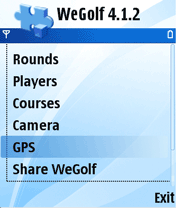
If your phone support GPS you will see a "GPS" choice in the main menu.
Also make sure that blutooth is turned on in your phone settings.
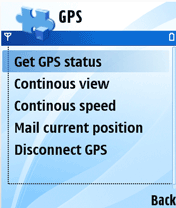
First time you use WeGolf with a GPS you have to "pair" them up. This is done by selecting the GPS choice from the main menu, and then the Discover GPS. You will get a list of available GPS devices. choose your GPS. To test you can send your position by email. (Mail current position)
Other options:
- Get GPS Status - Diplay number of satellites accuracy etc
- Continous view - Coordinate update
- Continous Speed - Speedometer
- Mail Current postions - Send your position by email and plots it on map
- Disconnect GPS
Registrer Coordinates
With WeGolf you can map a course, change existing, delete or add coordinates to an exsiting.
This is done under Courses in the main Menu.
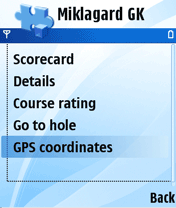
Open the course you would like to map and select GPS Corrdinates from the manu.
This will give you an overview of all holes and the number of coordinates registered on each of them.
Choose hole and then new.
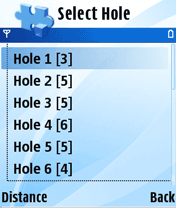
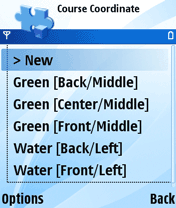
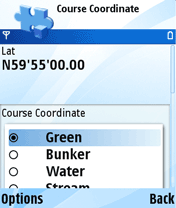
To activate coordinates select enable GPS, and you will see the Lat - Long displayed on top of the screen
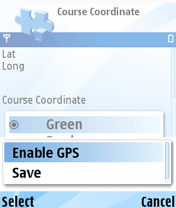
Make sure that the coordinates settle before your press save.
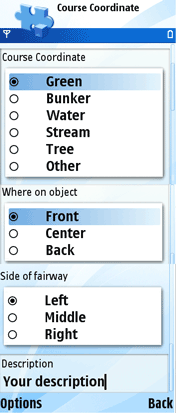
Describe the point of interest by selecting from the menues. Note that you have to scroll down to see all choices.
What kind og object?
Where on the object?
Side of fairway?
Your own description if needed.
To store press options/menu - save.
In the list there is a sort feature making it possible to get the coordinates in the order of your likings.
To be able to get distances when playing the course has to be registered with coordinates.
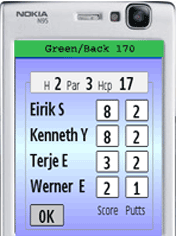
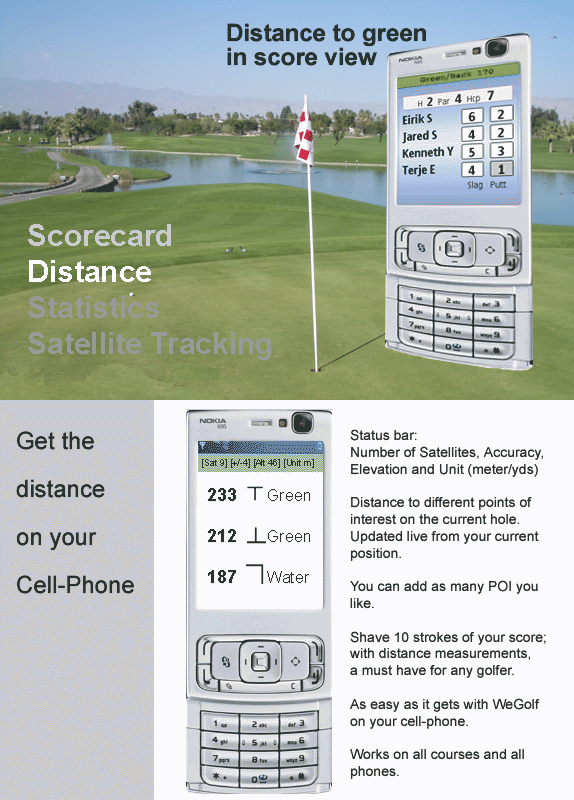
You get distance in the screen where you fill in your score..
On the top you have a Bar with a shortcut view of distance to back of the green.
Note that this bar has different colours to indicate status:
RED - Not connected to GPS
YELLOW - Connected to GPS but no lock on satellites
GREEN - OK
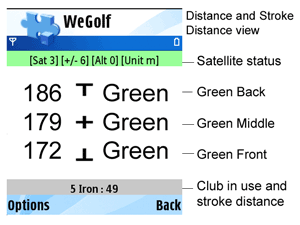
To view all distances on the particular hole select distances from the menu.
Vertical bar indicates where on object: Front - Middle - Back
Horizontal bar, indicates where on fairway. Left - Middle - Right
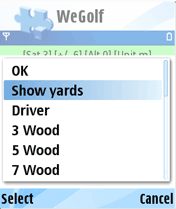
In the options menu you can choose what club you are using.
If you do so you will see at the bottom ow far you hit. This is updated from where you hit until you select the next club. The distance will then be stored for statistics.
You repeat this prosess until you are on the green and then press end to conclude the hole.
You can see a overview of all strokes in the statistics on the phone, and this is also transferred to web when you publish your round
To track all your strokes on satellite images all you have to do is to register what club you are using, and publish your round. If your do this you can log on to WeGolf web and select Rounds -> Distances and see all your strokes on map/ satellite images..