Backup - Always publish data on your mobile, players, courses and rounds. By this ensuring backup it lost or broken phone.
Pick up the ball - What score to enter if you pick up the ball. We recommend PAR + 5. That is 8-9-10 on respective par 3-4-5.
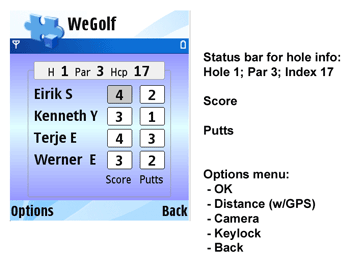
To make this easy, you can use the "*" key in the score screen, and the score and putts are entered automatic.
"Secret Keys" - "Easter Eggs"
"*" - In score picture automatic fills inn PAR + 5 and 2 putts
*#" - In score picture alternate between - distance from TEE to green - Statistics and score input
Keylock - If you have your phone in your pocket its easy to press keys by accident. Therefore use the keylock feature in the menu, this also works as a round timer.
Publish your round - In the scorecard menu, you can START and STOP the auto publish feature. If ON your score is published to web between every holde.
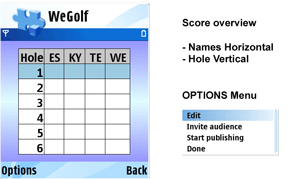
You can also publish your round at any time from the Rounds menu.
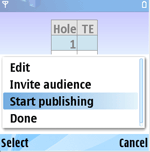
Invite Audience - live sharing of your score with your golf buddies. They will receive an sms and / or email with a link to your scorecard. Open this and they can view all details from your round on their phone or computer updated between each hole you are playing.
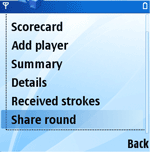
Share Round - In the rounds menu you can share your round with your golf buddies. They will receive an sms and / or email with a link to your scorecard. Open this and they can view all details from your round on their phone or computer.
Language - To change language select: ( Innstillinger -> Språk) / (Configuration -> Language) from the main menu.
News and Updated - Watch out for news about new versions and other events in the news section on web.